Encryption protects the path; verification helps confirm the destination.
End-to-end encryption protects message content in transit, but you still need to know who is at the other end. If you want to learn how to verify an encrypted chat, compare its safety number or QR code through a trusted second channel before sharing anything sensitive.
Why encrypted does not automatically mean verified
End-to-end encryption is designed so that only the endpoints in a conversation can read its messages. Each participant has cryptographic keys, and the sender uses key information associated with the recipient to protect messages for that recipient.
That answers one important question: is the conversation encrypted between endpoints? It does not, by itself, answer another: does the key shown for this contact really belong to the person you intend to reach?
The Electronic Frontier Foundation's key-verification guidance explains that if someone presents a key while claiming to be your contact, encryption can still work even when that key belongs to an impostor. The conversation may be encrypted, but to the wrong endpoint.
Contact verification connects a cryptographic identity with a human identity. It matters most before you send passwords, financial details, private documents, sensitive photographs or information that could put someone at risk.
How safety number verification works
Many encrypted messaging apps convert key information into a fingerprint: a long safety number, a sequence of words or a QR code. Both participants should see matching representations for the same conversation.
Safety number verification means comparing those representations with your contact. A match provides evidence that both devices are using the expected keys at that moment. A mismatch means you should stop and investigate rather than assume everything is fine.
The exact interface varies by app, but the basic process is consistent:
- Open the contact's conversation details.
- Find an option such as encryption, security, verify contact or safety number.
- Display the numerical fingerprint or QR code.
- Compare it with the version shown on your contact's device.
- Mark the contact as verified if your app offers that option.
A fingerprint is useful only when you compare it through a trustworthy route. Copying a safety number into the same unverified chat does not independently prove identity: an attacker controlling that channel could potentially provide matching information for the connection they control.
QR code contact verification in person
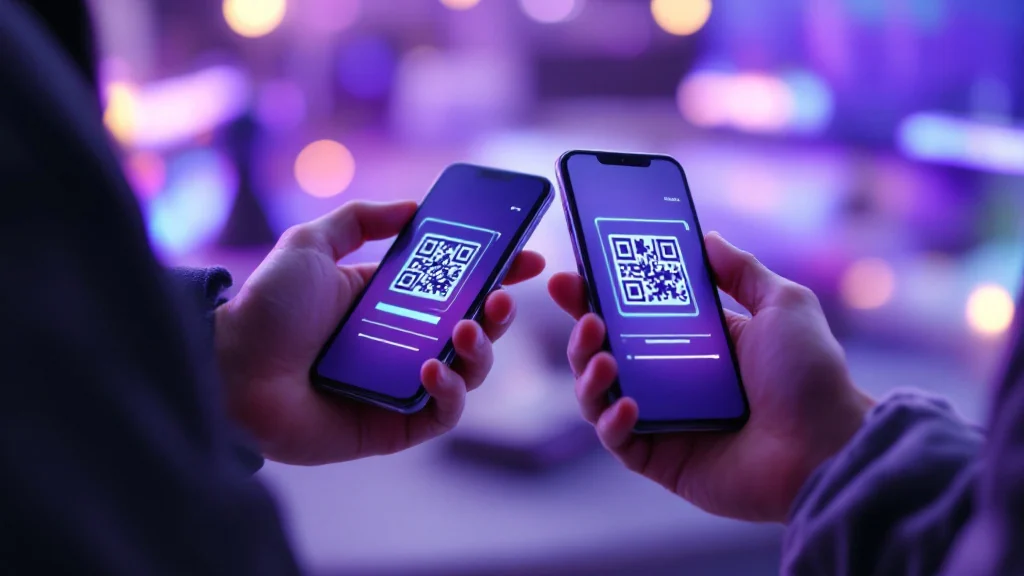
QR code contact verification is usually the simplest method when both people are physically together. Open the verification screen on both devices, then use one device to scan the QR code displayed by the other. Follow the app's confirmation flow and check that it reports a match.
Use this checklist:
- Confirm that you are looking at the intended contact's conversation.
- Let your contact unlock and operate their own device.
- Scan the code directly from their screen, not from a forwarded screenshot.
- Read the result before marking the contact as verified.
- If the scan fails or reports a mismatch, do not exchange sensitive information.
A QR code is not inherently stronger than a numerical fingerprint. It is a faster, less error-prone representation of verification data. Its security comes from obtaining it directly from the person or through another channel you already trust.
For a high-risk conversation, verify in person when practical. You can also compare the displayed numerical fingerprint aloud as an additional check.
How to verify encryption keys from a distance
When an in-person meeting is not possible, use out-of-band verification: compare the fingerprint through a communication path separate from the chat you are checking.
For example, call your contact using a phone number you already know and ask them to read the safety number from their device. Compare it carefully with the number displayed on yours. A live video call can also work when you can reliably recognize the person, although you should obtain the call details independently rather than accepting a link sent only through the unverified chat.
Other options include comparing fingerprints through a previously verified account or waiting to compare them at an in-person meeting. The right channel depends on your risk. The essential rule is that the second route must not rely solely on the identity claim made inside the chat under review.
Avoid weak shortcuts:
- Do not ask the contact to paste the number into the same unverified conversation.
- Do not trust a screenshot merely because it looks like your app's interface.
- Do not accept “it changed because I got a new phone” without confirming that explanation independently.
- Do not compare only a tiny portion of a long fingerprint unless the app explicitly designs its verification process that way.
After a successful comparison, record verification inside the app if that feature is available. This can make future changes easier to notice, but it does not replace paying attention to security alerts.
What an unexpected key change means
Encryption keys may change for ordinary reasons. A contact might replace a phone, reinstall the app, reset an account or add a device. A changed key is therefore not proof of an attack.
It is still a meaningful warning. The new key has not yet been connected to the identity you previously verified. Until you check it, you cannot confidently treat the conversation as the same verified connection.
If your app reports a key, safety number or security-code change:
- Pause sensitive messaging.
- Contact the person through a known, independent route.
- Ask whether they changed devices, reinstalled the app or made another relevant account change.
- Open the current verification screen on both sides.
- Compare the new number or scan the new QR code.
- Resume sensitive communication only after the values match.
Be especially cautious if the contact pressures you to ignore the alert, requests urgent payment, asks for credentials or refuses to verify through another channel. Those circumstances do not prove impersonation, but they increase the cost of guessing wrong.
A practical trust routine for encrypted chats
Apply verification in proportion to the sensitivity of what you are about to share. For routine conversation, notice key-change alerts and verify before acting on unusual requests. For confidential work, private records or high-impact decisions, verify the contact before the first sensitive exchange. People facing targeted threats should establish a verification routine in advance and agree on an independent way to reconnect.
Verification confirms a connection between a key and a person; it does not prove that the person's device or account remains under their exclusive control. A verified chat can still be misused by someone who gains access to an unlocked device or account. Keep devices locked, install security updates and remain cautious about unusual requests even when verification succeeds.
Knowing how to verify an encrypted chat closes an important gap between encryption and identity. Encryption protects the path; verification helps confirm the destination. Before a conversation becomes sensitive, compare the safety number or QR code through a route you already trust.