
Encryption protects data across the internet, but a malicious extension reads text straight off your rendered screen.
Malicious browser extensions hijack web messengers by executing content scripts inside the browser's Document Object Model (DOM) after message payload decryption occurs. Because extensions operate with elevated browser permissions, they scrape unencrypted text off the user interface regardless of the underlying cryptographic protocol. Maintaining overall browser extension chat security requires isolating client-side cryptography from the main rendering thread and validating web application code integrity prior to execution.
Key takeaways
- DOM scraping bypasses transit encryption: Content scripts running inside the browser read plain-text chat messages from rendered HTML elements after local decryption.
- Elevated permissions create silent threats: Third-party extensions can exfiltrate chat logs and session tokens across domains without triggering network warnings.
- Supply chain updates increase endpoint risk: Compromised developer credentials allow threat actors to push malicious code updates through official browser extension stores.
- Isolated architectures mitigate DOM risks: Executing cryptography inside isolated Web Workers and enforcing strict Content Security Policies limits extension access to unencrypted buffer memory.
How do malicious Chrome extensions read messages in web browsers?
Malicious extensions read web chat messages by executing arbitrary JavaScript content scripts within the origin context of the web application. Once injected, these scripts inspect and extract plain-text nodes from the Document Object Model (DOM) as soon as the client application decrypts and renders them on screen.
According to the OWASP Browser Extension Vulnerabilities Cheat Sheet, DOM-based data skimming occurs when third-party extensions leverage broad host permissions to monitor dynamic DOM modifications. In a study on extension threats published by Singh et al. at IIT Jammu (arXiv:2503.04292v2), security researchers revealed that hundreds of active store listings request broad domain permissions (such as <all_urls>), allowing background scripts to harvest sensitive form inputs and dynamic screen updates.
When a web messenger receives an encrypted payload over WebSockets or HTTPS, client-side JavaScript decrypts the ciphertext in memory and appends the resulting string to an HTML container, such as a <div> or <span> tag. Content scripts attached to browser tabs hook into DOM mutation observers. The moment the message appears on screen, the extension copies the unencrypted text node and exfiltrates it to a remote command-and-control server. To evaluate how structural data exposure affects your risk profile, review our guide to understanding messaging metadata.
Why does end-to-end encryption fail when web messenger DOM hijacking occurs?
End-to-end encryption (E2EE) protects data in transit between communicatees, but it cannot prevent exfiltration if an adversary compromises the local execution environment. When web messenger DOM hijacking occurs, the attacker intercepts decrypted output at the presentation layer rather than breaking the cryptographic cipher.
Cryptography terminates at the user interface. Even when an application relies on robust mathematical primitives—such as AES-256-GCM under NIST FIPS 197 or post-quantum key encapsulation algorithms like ML-KEM-768 specified in NIST FIPS 203—the application must eventually render human-readable text. As detailed in our analysis of what end-to-end encryption actually protects, E2EE guarantees that transit nodes, internet service providers, and central cloud servers cannot inspect message contents.
However, if a user installs a compromised extension with permission to read active tab data, that extension operates inside the authenticated boundary of the application. The encryption algorithm functions as intended, but the rendered output is harvested from the unencrypted DOM tree. The cryptographic boundary stops at the network socket; the browser extension attacks the rendering surface.
What real-world supply chain attacks threaten browser messaging safety?
Recent supply chain incidents demonstrate that legitimate, highly rated extensions can be converted into spyware through credential theft and publisher account takeovers. Attackers target extension developer credentials to push data-skimming updates to active user bases.
Risks threaten browser messaging safety when users install utility extensions such as spellcheckers, translation tools, or custom theme engines. If an extension developer's publishing keys are compromised or sold, an automated background update can transform a harmless utility into a browser-level screen scraper capable of reading conversation buffers across every open browser tab.
How can secure web app E2EE architectures ensure browser messaging safety?
Modern platforms ensure secure web app E2EE and combat extension scraping by isolating cryptographic operations inside dedicated Web Workers, enforcing strict Content Security Policies (CSP), and providing offline code validation. These controls prevent content scripts from reading secret key material or interfering with unencrypted memory buffers.
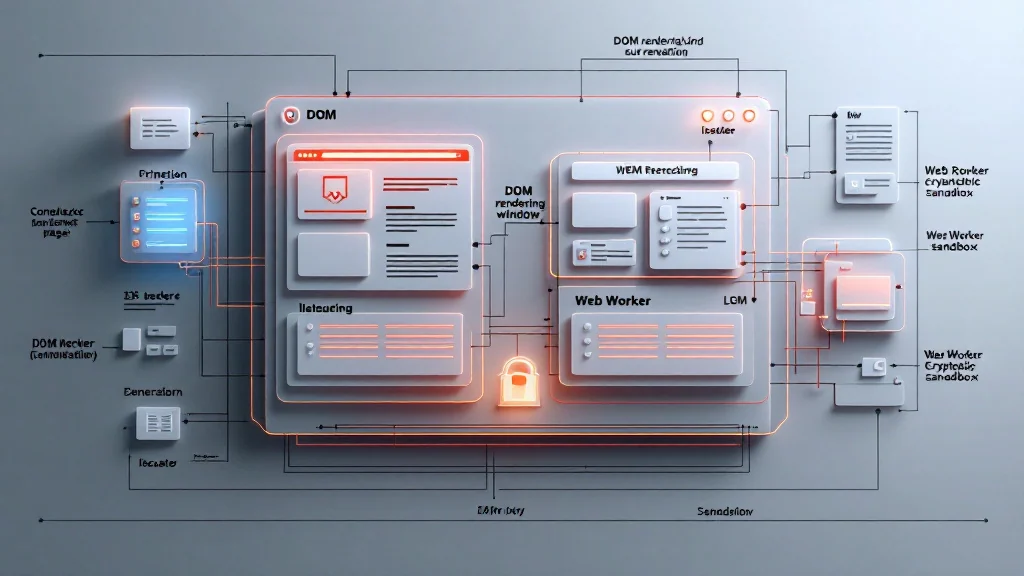
To achieve browser extension chat security, web messengers must separate execution environments across distinct operational layers:
| Security Layer | Standard Web Messenger | Hardened Web Application |
|---|---|---|
| Key Management | Plaintext in LocalStorage / SessionStorage | Non-exportable WebCrypto keys inside isolated Web Worker memory |
| DOM Exposure | Plaintext HTML nodes in main window | Canvas-rendered text or Shadow DOM trees with strict CSP constraints |
| Bundle Integrity | Variable remote scripts loaded from CDNs | Static asset builds with published SHA-256 hashes via the Livara Proof Lab |
| Cipher Suite | Classical ECDH key exchange | Hybrid ECDH P-256 + ML-KEM-768 (NIST FIPS 203) |
Livara Chat enforces these principles through its client cryptographic architecture. Direct messaging relies on the LVR1 protocol, running a P-256 ECDH ratchet alongside an ML-KEM-768 epoch ratchet to derive message keys via HKDF-SHA-256 for AES-256-GCM encryption. Private group chats use the LGS1 protocol, where sender keys are sealed inside pairwise LVR1 envelopes. Group membership remains server-controlled. Passwords are never sent across the network; authentication relies on Secure Remote Password (SRP) zero-knowledge proofs. Web application integrity can be checked offline by matching local browser builds against published SHA-256 checksums in the Proof Lab.
Architectural Boundaries: Direct messages, group chats, and file attachments (encrypted with unique 32-byte content keys) use end-to-end encryption. Call media uses standard WebRTC DTLS-SRTP and is not post-quantum. Livara's public broadcast channels are unencrypted by design so server admins can remove abuse material. Routing metadata—including sender IDs, destination addresses, and delivery timestamps—is retained for real-time device synchronisation. Note that Livara's protocols have not been independently audited.
Frequently asked questions
Can a Chrome extension read my encrypted messages on Web WhatsApp or Signal Desktop?
Yes. If an extension possesses host permissions such as "Read and change all your data on the websites you visit", its content script can read plaintext chat messages from the DOM after the web application decrypts them.
Does Manifest V3 prevent extensions from stealing chat data?
No. While Manifest V3 restricts external remote code execution, extensions with granted host permissions for a chat domain can still run content scripts that inspect, copy, and exfiltrate text rendered inside the Document Object Model.
How can I protect my browser messaging safety against rogue extensions?
Minimise installed extensions, revoke broad host permissions, run web chat applications inside isolated browser profiles without third-party extensions, and check web application bundle hashes using published cryptographic integrity proofs where available.
What is DOM-based data skimming in web messengers?
DOM-based data skimming occurs when an extension or injected script continually monitors HTML elements on a web page, harvesting unencrypted text nodes—such as decrypted chat messages or typed inputs—the moment they appear on screen.