End-to-end encryption secures the mathematical conduit between two devices, but only out-of-band verification guarantees who holds the device at the other end.
End-to-end encryption secures the mathematical conduit between two devices, but it cannot intrinsically prove who holds the device at the other end. To prevent sophisticated adversaries from swapping keys and intercepting private communications, Livara Chat uses safety numbers (v3) to anchor cryptographic trust. This out-of-band key verification ensures you are talking to the correct person, forming an E2E impersonation defence.
Key takeaways
- Safety numbers act as a mathematical fingerprint of the public keys used in your encrypted conversation.
- Comparing these fingerprints through an out-of-band channel guarantees no eavesdropper has intercepted the network connection.
- Livara automatically alerts you to detect messenger key changes, halting message transmission until you explicitly acknowledge the new key.
- Direct messages and private groups are fully end-to-end encrypted, but public broadcast channels remain deliberately readable by design.
What is an E2E impersonation defence?
An E2E impersonation defence prevents a man-in-the-middle (MITM) attacker from sitting silently between you and your contact, decrypting and re-encrypting your messages. In a standard MITM scenario, the attacker intercepts your initial key exchange, handing their own public key to both parties. While end-to-end encryption secures data in transit, it requires a secondary check to guarantee identity. Without verifying the endpoint, you might establish a mathematically sound connection to a hostile actor.
A MITM attack is digital eavesdropping. An attacker wedges themselves between you and your recipient, listening in and potentially altering the conversation undetected. Livara blocks this vulnerability by assigning a unique cryptographic fingerprint to every private conversation. By tying the encryption keys to a visible safety number, the system forces attackers into the open: they cannot substitute a key without altering the number displayed on your screen.
How do you verify safety numbers v3?
You verify safety numbers v3 by comparing the numeric string on your screen with the identical string on your contact's screen. To bypass the potentially compromised network routing your messages, perform this out-of-band key verification via a different medium. Read the numbers aloud over a telephone call, compare them in person, or send them through a separate secure application.
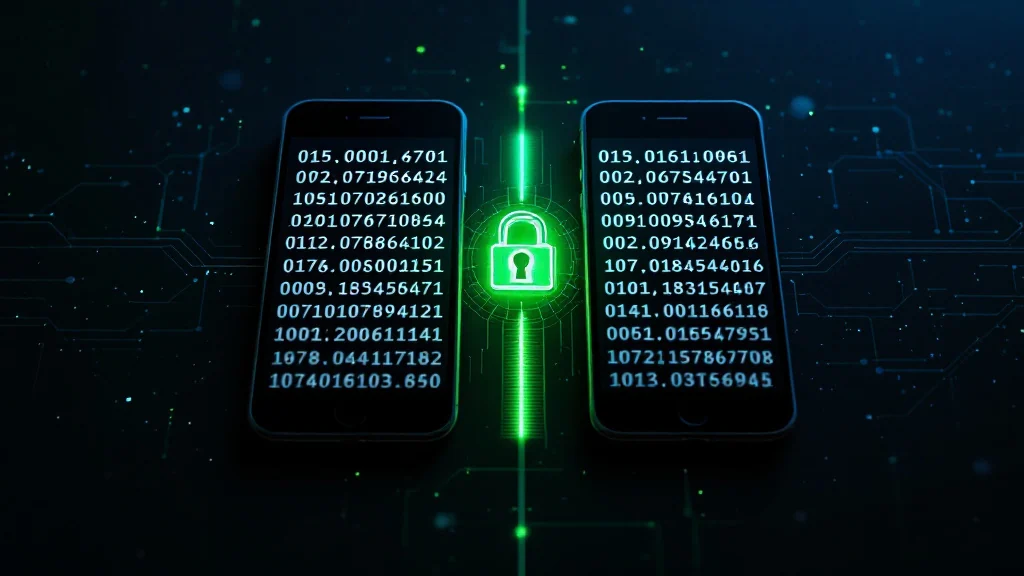
Once both sides confirm the numbers match perfectly, the cryptographic fingerprint comparison is complete. The mathematics of Livara's LVR1 protocol guarantees that if the fingerprints match, the connection is cryptographically sealed between those specific devices. The underlying system derives these numbers directly from your identity keys. Before checking a safety number, you must trust the software generating it. Livara establishes this baseline via Android APK integrity, publishing SHA-256 checksums verifiable locally and offline. Once the application's integrity is established, you can safely follow the steps for verifying a chat with safety numbers.
Why is cryptographic fingerprint comparison necessary?
Cryptographic fingerprint comparison is necessary because public keys change frequently and legitimately when people switch phones, reinstall the application, or recover an account. When a key changes for a mundane reason, the safety number shifts. However, an attacker attempting to hijack the session triggers an identical key change. The fingerprint comparison is the only mathematical way to distinguish a friend's new smartphone from a targeted network attack.
Livara's encryption architecture relies on a hybrid post-quantum double ratchet for all direct messages. A standard ECDH P-256 ratchet and a post-quantum epoch ratchet run side by side. The post-quantum layer utilises NIST's FIPS 203 standardised ML-KEM-768 key encapsulation mechanism. Every individual message key is derived from both ratchets using the HKDF-SHA-256 key derivation function, before encrypting the payload with AES-256-GCM. Because the safety number is a cryptographic hash of the root identity keys feeding this structure, it is tightly bound to the encryption state. If a single bit differs in the initial key exchange, the resulting safety number changes completely, instantly alerting you.
How does Livara detect messenger key changes?
Livara relies on the LVR1 protocol's continuous state management to detect messenger key changes the moment they occur on the network. When a contact's device publishes a new public identity key, the Livara server routes it to your phone for real-time device synchronisation. Your local app intercepts this change before encrypting and sending any new messages. The application explicitly flags the conversation, displaying a prominent warning in your chat timeline that the safety number has changed.
To understand the boundaries of what triggers these automated alerts, review our published security boundaries. You must actively acknowledge the new key before Livara resumes encrypting messages. This hard stop prevents your device from blindly encrypting sensitive data to a new key. The same protection applies to private groups (protocol LGS1), where full sender-key end-to-end encryption seals each sender key inside pairwise LVR1 envelopes. While group messages are end-to-end encrypted, group membership remains server-controlled. If any group member's underlying device key changes, the system halts and demands verification, ensuring the group's cryptographic integrity remains uncompromised.
Are safety numbers used in public broadcast channels?
No. Safety numbers are absent from public broadcast channels because channels are deliberately public, unencrypted broadcast streams. A channel allows one author to publish to an unbounded audience. Livara leaves these channels readable by design so the platform can act on user reports, remove abusive material, and ban hostile actors.
Never treat broadcast channel content as end-to-end encrypted. Safety numbers and cryptographic fingerprints exist strictly to anchor the identity of participants in sealed LVR1 direct messages and LGS1 private group chats. To see exactly how these surfaces differ in our architecture and who has access to what data, consult our threat model.
Frequently asked questions
How often should I check safety numbers?
You only need to verify safety numbers v3 once when establishing a highly sensitive conversation, and again if the application alerts you that your contact's safety number has changed. Routine conversations do not require continuous manual verification.
What happens if a safety number changes?
If a safety number changes, Livara pauses message delivery and displays a warning in your chat timeline. This indicates your contact set up a new device, reinstalled the application, or an impersonator is attempting to intercept the connection.
Does verifying a key expose my messages?
No. The safety number is a cryptographic hash of your public identity keys, not a backdoor into your private data. Sharing or reading this number aloud during out-of-band key verification reveals nothing about the content keys used to encrypt your messages.